01
Know the work
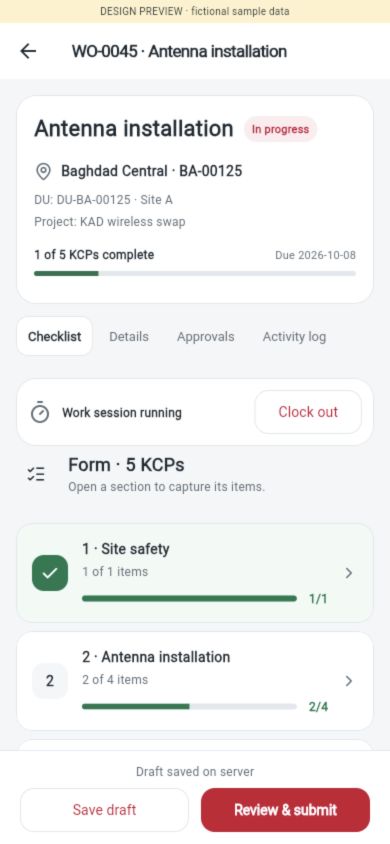
Confirm DU, site and project. Clock in, then open the checklist section you need.
Open your assigned task, confirm the site and capture the evidence. A focused field workspace keeps the next action close.
Screens below show the current Flutter interface with fictional sample records. Connectivity is required.
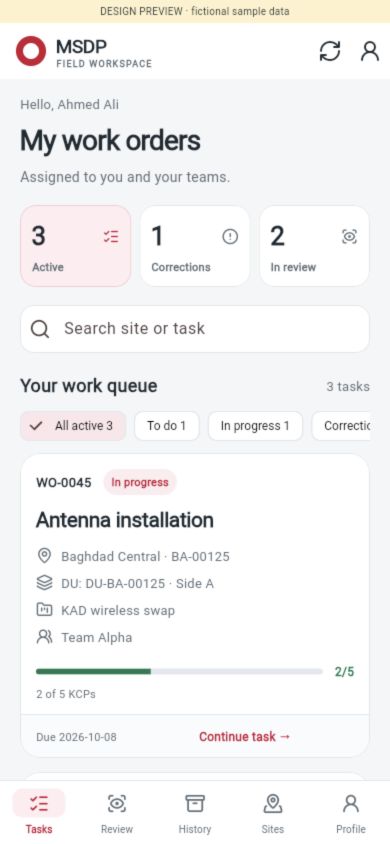
Each screen has a specific job. The recorded template supplies the checks; the server validates the submission.
Confirm DU, site and project. Clock in, then open the checklist section you need.
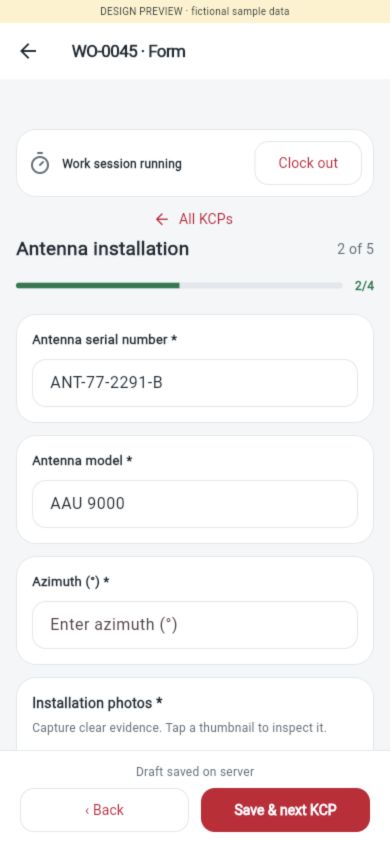
Fill required inputs. Preview photos, remove an incorrect draft attachment and save each section.
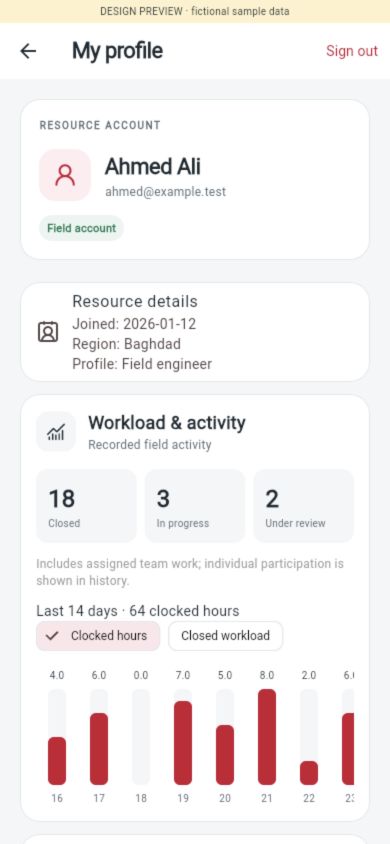
See resource details, teams, project roles and recorded clock hours. Team workload is labelled separately from individual participation.
Submitting locks the form for review. An existing work session can still be clocked out when the field work ends.
Follow the review queue and recorded approval route. Clock-out remains available to the authorized assigned user.
Use the reviewer’s remarks to fix returned KCPs. Approved sections stay locked before resubmission.
Agree the checklist, location rules, evidence and review route. Flutter web is the current verified preview target; native camera/GPS and release qualification need device testing.
Discuss your field pilot ↗