Product 1 · Web workspace
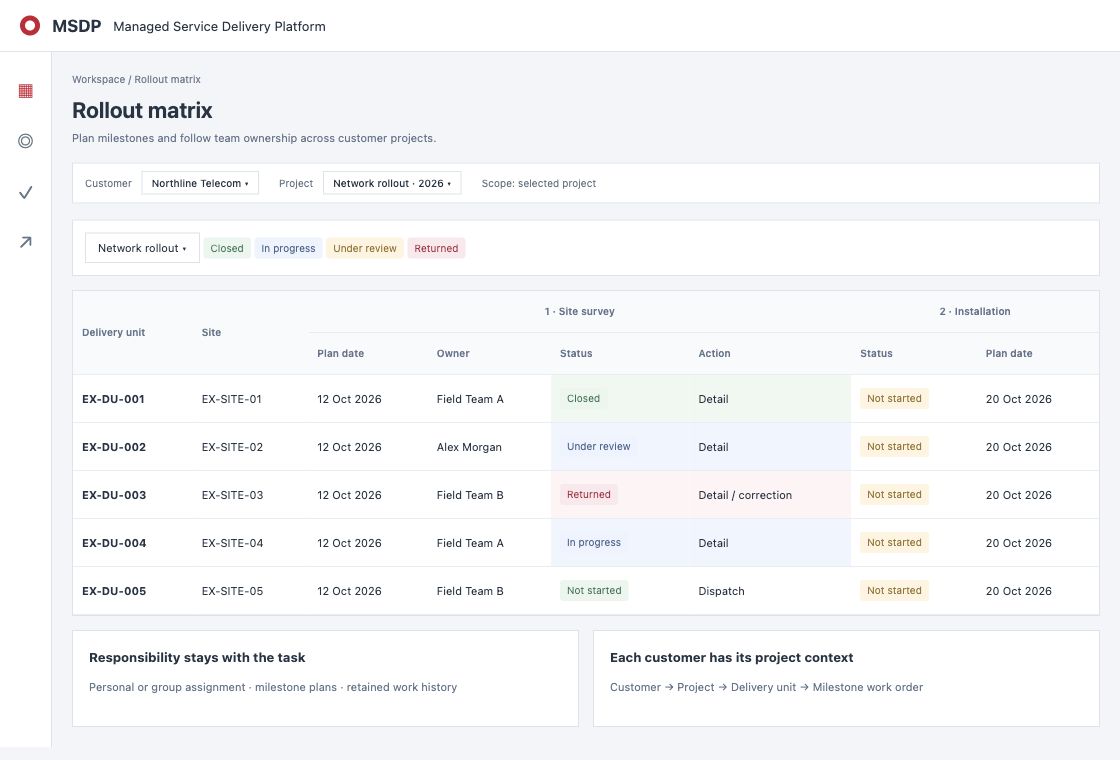
MSDP Platform
Plan, dispatch, review and claim on one record.
- Every site and milestone in one rollout matrix
- Work orders with review and approval
- PO lines tied to finished work
- Reports that count themselves
On its own: your managers and coordinators run delivery in the browser, on a desk or a phone.
See delivery control →
Product 2 · Phone app
MSDP FieldForce
The work, in the hands of the team doing it.
- Today's assigned work, nothing else
- Checklists with photos and location
- Clock in and out at the site
- Returned work says exactly what to fix
Goes with the Platform: FieldForce receives the work orders the Platform dispatches. Install it as its own app, or use it inside MSDP Mobile.
See the field app →
Product 3 · Web and phone
MSDP Connect
Company messaging that follows project access.
- People, groups and project channels
- A profile for every colleague
- Delivery unit and site codes become live links
- Photos and files stay inside your company
On its own: a private replacement for public chat groups, in the browser and as its own phone app.
See MSDP Connect →
Product 4 · One phone app
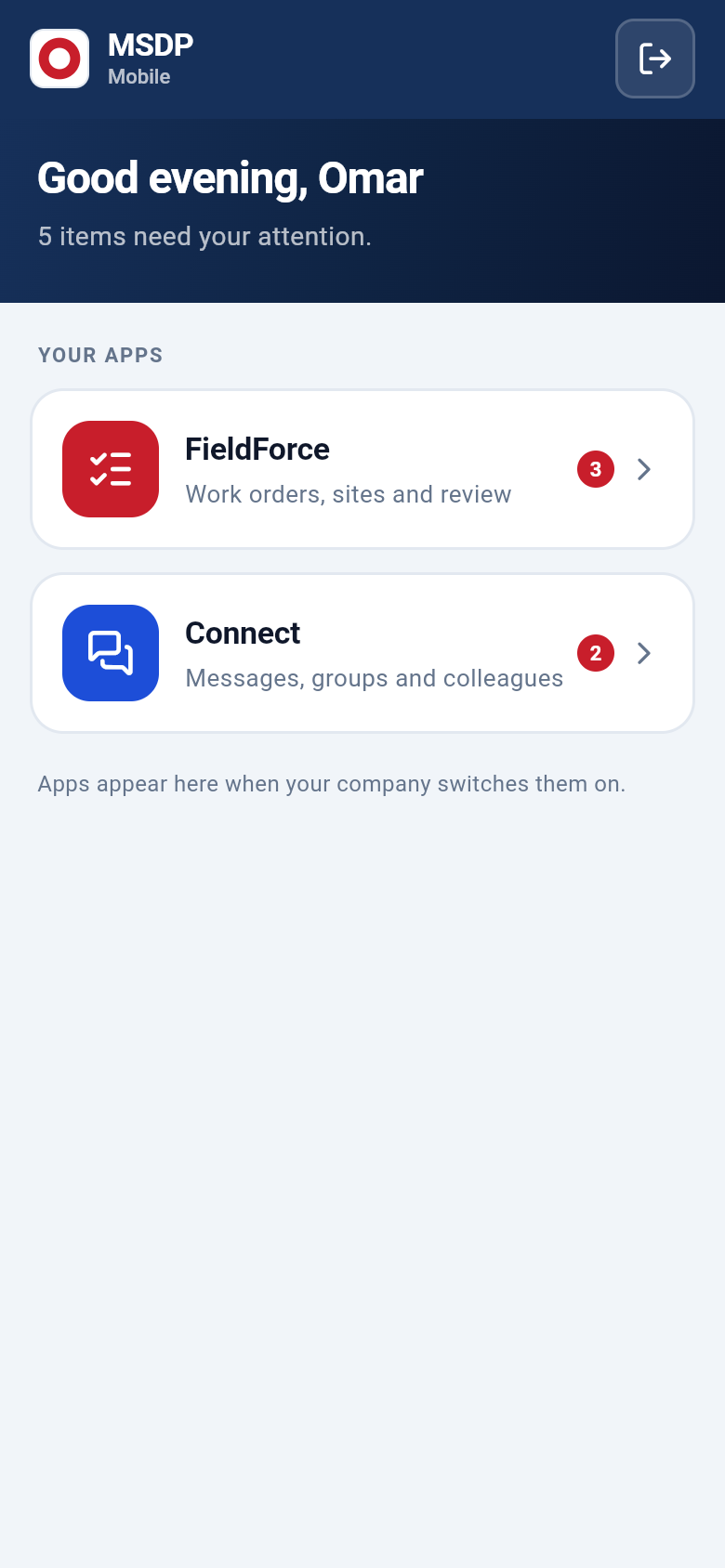
MSDP Mobile
Everything your company has switched on, in one app.
- FieldForce and Connect behind one sign-in
- One home screen with what is waiting in each
- Shows only the products your company uses
- Ready for the apps we add next
How it is sold: included with the products it carries. With one product it opens straight into it.
Ask for a demonstration →
Powerful together
The same people, projects and sites in every product.
Nothing is copied between systems, because there is only one. This is what that looks like in a normal week.
Connect+Platform
A message names a delivery unit. The chat shows where it stands.
Type a delivery unit or site code and it turns into a card with the site name and how many milestones are closed. One tap opens it in the workspace.
Platform+Connect
Join a project and you are in its channel. Leave and you are out.
Every project has a channel. Its members are the project team, so nobody maintains a group list and nobody stays after they move on.
FieldForce+Platform
Finished on site, in front of the reviewer the same day.
The checklist, photos and clock times a team submits on the phone are the record the reviewer approves in the workspace.
MSDP Mobile
One app on the phone for the work and the conversation.
MSDP Mobile opens on your apps and shows what is waiting in each: open work orders in FieldForce, unread messages in Connect.
Ways to start
Start with one. Add the next when you are ready.
| Product | On its own | With the others |
|---|
| MSDP Platform | Rollout planning, work orders, review, PO and revenue in the browser. | Field teams work in FieldForce; project channels and live links appear in Connect. |
|---|
| MSDP FieldForce | Needs the Platform, which dispatches its work orders. | The phone app for Platform work, with Connect one tap away in the same app. |
|---|
| MSDP Connect | Private messaging with people, groups, project channels and profiles. | Codes in a chat link to live delivery status, and each project channel shows its work at a glance. |
|---|
| MSDP Mobile | It carries the other products, so it comes with whichever of them you take. | FieldForce and Connect behind one sign-in, with one count of what needs you. |
|---|
Tell us which product you need first.
We will show it to you with your own projects in mind and tell you plainly what it does not do yet.